 Kidy
Kidy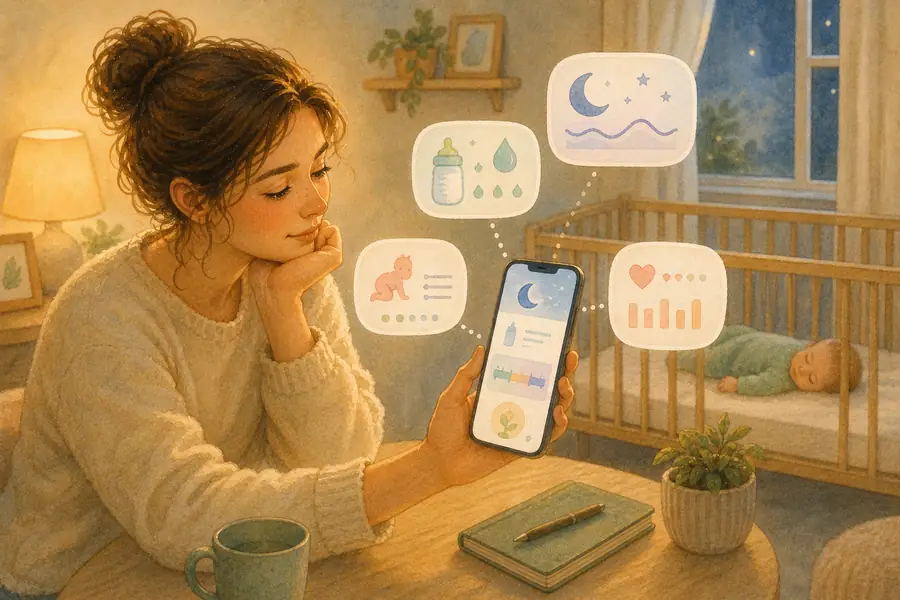
You can track everything and still not know what to change.
🌙 Map out the day: enter your baby's age in the sleep schedule calculator for naps and a bedtime that fit their rhythm.
That's the gap most baby tracking apps don't close. Logs and charts answer "what happened". Most parents need an app that answers "why is this happening, and what should I do tonight?"
What to look for in a 2026 baby tracking app:
- Pattern recognition over raw data: single days lie; weekly trends tell the truth
- Connected categories. Sleep, feeding and behavior together, not in separate silos
- Age-appropriate guidance that respects pediatric guidelines but adapts to your specific child
- Honest limitations. No app replaces a pediatrician for medical questions
| App | Best for | Real weakness |
|---|---|---|
| KidyGrow | Connecting sleep + feeding + behavior into one adaptive plan | Newer than legacy trackers; smaller community |
| Huckleberry | Nap timing predictions (SweetSpot) | Limited beyond sleep; weak feeding/behavior links |
| Baby Tracker | Simple logging, minimal setup | No insights, no pattern detection |
| Glow Baby | Community forums and peer support | Advice quality varies; less structured |
A small disclosure first. This guide is on KidyGrow's blog, and we built KidyGrow with pattern recognition as the core feature, so we list it #1 here. The rest of the entries below are honest about what the other apps actually do well, where they don't, and which one fits which family. Pediatric guidance throughout aligns with AAP and NHS recommendations on infant sleep (AAP, Healthy Sleep Habits; NHS, Helping your baby to sleep).
1. KidyGrow — Best for "I've tracked everything and still don't know what to change"
KidyGrow is built around one principle: most baby sleep and feeding problems are visible in patterns, not in single data points.
Instead of charts, you get an adaptive Daily Brief: one specific change to try today, a 3–5 day window for what real improvement looks like, and a tomorrow-prediction based on what happened today. Here's the difference a week makes. Day one, it says something generic like "try a 2.5-hour wake window." Day eight, it says "your worst evenings keep following a nap that ended after 4 PM." It stops suggesting things that didn't work for your child.
What it does well:
- Connects sleep + feeding + behavior into a single adaptive picture
- Personalizes guidance: what you see is based on your last 7–14 days, not a generic "use 3-hour wake windows" rule
- Honest about uncertainty. The first 3–5 days are a warm-up while it gets to know your baby's pattern
- Two-child profiles for twins (separate adaptive plans, not averaged)
Where it's weaker:
- Smaller community than legacy apps, with no 200-comment forum threads
- Newer; less third-party review coverage than Huckleberry or Baby Tracker
- Adaptive features need a few days of consistent input before they really click. Sometimes the app won't find a useful pattern that week, and it will tell you so
Best for: parents who already track but feel stuck, the "I have all the data and still no idea" stage. For the bigger sleep picture, see the baby sleep guide for 0–2 years, or read how the app builds that picture in the AI behind the scenes.
2. Huckleberry — Best for nap timing predictions
Huckleberry's standout feature is SweetSpot, a paid prediction layer that suggests optimal nap times based on typical wake windows.
Strengths:
- Solid nap timing predictions when wake windows are the main problem
- Clean, sleep-focused interface
- Strong brand recognition; well-reviewed in app stores
Limitations:
- Limited beyond sleep; feeding and behavior are afterthoughts
- Doesn't connect feeding patterns to sleep patterns (a real issue when the night-waking driver is actually a feeding-timing issue)
- In our testing, the SweetSpot prediction layer sat behind a paywall, and the free tier was closer to a basic logger
Best for: families whose only major issue is nap timing, with feeding and behavior already stable. We covered the head-to-head in Huckleberry vs other baby apps.
3. Baby Tracker — Best for simple logging
If you just want a clean place to record feeds, naps and diapers without any analysis layer:
Strengths:
- Very low friction, no setup
- Reliable, no-frills logging
- Good multi-caregiver sync
Limitations:
- No insights, no pattern detection
- You become the analyst. Fine if you have bandwidth and pediatric background, exhausting otherwise
Best for: parents who want a digital notepad and prefer to do their own analysis (or share clean logs with a pediatrician).
4. Glow Baby — Best for community alongside tracking
Strengths:
- Active parent forums and peer-support spaces
- Good for "is this normal?" questions where collective experience helps
Limitations:
- Advice quality varies wildly; anecdote is not evidence
- Less structured guidance; can be overwhelming
- Community advice sometimes contradicts AAP and NHS recommendations
Best for: parents who want social connection plus basic tracking. Pair it with a structured app or pediatric guidance for actual sleep and feeding decisions.
5–10. Other options worth knowing
- Baby Daybook: clean design, basic logging, no AI layer
- Sprout Baby: milestone tracking focus (less sleep-focused)
- Ovia Parenting: part of the larger Ovia pregnancy/parenting ecosystem
- Baby Connect: strong multi-caregiver sync, dated UI
- Cubtale: modern interface, growing feature set
- Nara Baby: AI suggestion layer, smaller community
What pattern recognition actually means
Tracking tells you "baby woke 3 times last night."
Pattern recognition tells you "baby wakes more on days when the last nap ended after 4 PM, or when the last feed before bed was under 4 oz."
The second one tells you what to change tomorrow. The first just tells you what happened.
This matters because the AAP and NHS both stress that infant sleep is highly individual. Wake-window guidelines and "X hours at age Y" recommendations are starting points, not prescriptions (AAP, Getting Your Baby to Sleep). A good tracking app respects that and shows your baby's specific pattern, not a population average. If you want the structure underneath that, our baby schedule by age, 0–2 years lays out realistic sleep and feeding rhythms to track against.
Most parents discover the connection after 3–5 days of consistent input. That's when the "oh, that's why bedtime has been awful" moment lands. For a wider read on what the science says about wake windows, see wake windows by age.
What actually helps babies sleep better
After looking at real patterns, three levers move the most:
- Earlier bedtime when the previous nap was late or short. Feels counterintuitive, lands consistently
- Consistent routine (same sequence, roughly same timing), the wind-down predictability AAP repeatedly recommends
- Age-appropriate wake windows. But read your baby, not just the chart
The right app is the one that helps you see which of those three is off for your specific baby. For a building-block approach, see how to build a baby routine that works and the biggest baby sleep mistakes parents make.
How to choose
Choose KidyGrow if you've tracked but still feel lost; you want pattern-level guidance that adapts to your child; or you have twins or multiples and need two parallel profiles.
Choose Huckleberry if nap timing is your single biggest issue and other categories already work well.
Choose Baby Tracker if you want simple logging, no opinions; you'll do your own analysis.
Choose Glow Baby if community matters more than guidance, and you'll filter peer advice carefully.
The honest answer: one app rarely solves everything. A common combo is a structured tracker (KidyGrow or Huckleberry) for daily decisions, plus a community space (Glow or a private forum) for "is this normal?" moments.
Frequently asked questions
Which baby tracking app is best in 2026?
It depends on the problem you're trying to solve. For pattern-level guidance and an adaptive plan, KidyGrow is purpose-built for that. For nap-timing predictions specifically, Huckleberry's SweetSpot is the standard. For low-friction logging without analysis, Baby Tracker is the most popular choice. The best app is the one that helps you see what you're missing, not the one with the most data fields.
Are baby tracking apps actually useful, or just data hoarding?
They're useful only if the app surfaces patterns, the connections between behaviors over days. Just collecting data is what most parents already do (mentally or on paper). The value comes when an app shows you something like "your baby's bad nights cluster on days when the last nap ended after 4 PM." That's the "do something about this tomorrow" version of tracking.
How long do I need to track before patterns appear?
Most parents see useful patterns after 3–5 days of consistent input. That's typically enough for the first "oh, that's what's happening" moment. Beyond that, 2–4 weeks of tracking lets you confirm patterns and watch the impact of any changes you make. AAP recommends consistent routines and observation rather than daily course corrections.
Do these apps replace a pediatrician?
No. Apps surface patterns; pediatricians diagnose. If your baby has feeding issues, growth concerns, persistent sleep problems past common regressions, or any medical worry, the app's job is to make the conversation with your pediatrician sharper, not to replace it. Both AAP and NHS guidance is clear that parental observation plus professional input is the right combination.
Do I need to pay for a baby tracking app?
Not necessarily. Free tiers of most apps cover basic logging. The pattern-recognition and adaptive-plan layers are usually behind a paid version (Huckleberry's SweetSpot, KidyGrow's Daily Brief beyond the trial). If you're stuck and the free tier isn't moving the needle after a week, the paid tier is usually what parents end up needing.
Sources
- American Academy of Pediatrics: Healthy Sleep Habits: How Many Hours Does Your Child Need? (HealthyChildren.org): https://www.healthychildren.org/English/healthy-living/sleep/Pages/healthy-sleep-habits-how-many-hours-does-your-child-need.aspx
- American Academy of Pediatrics: Getting Your Baby to Sleep (HealthyChildren.org): https://www.healthychildren.org/English/ages-stages/baby/sleep/Pages/Getting-Your-Baby-to-Sleep.aspx
- NHS: Helping your baby to sleep: https://www.nhs.uk/conditions/baby/caring-for-a-newborn/helping-your-baby-to-sleep/
_This guide reflects features available as of 2026. App features may change._